
Niki POS Pro
Your shop, safe and for your eye anywhere you dey
To sell with Niki POS na free, no limit. Pro na the plan wey you fit choose when your shop dey grow: your data go back up by itself, your shop go dey your own phone, and you go get space for more tills and shops.
Free for 14 days if you never use Pro before. Cancel anytime for Google Play.
Wetin Pro dey add
One plan for the owner. Your cashiers go continue to sell like before.
- Automatic backup: if your phone lost, your shop no go lost
- Your shop for your phone: sales, profit and stock from anywhere
- Summary every evening and alerts when something no correct
- Web dashboard for your computer
- Wholesale prices, suppliers and Excel exports
- More tills and shops, wey dey share products and stock
For owners wey no fit dey the counter the whole day
If your shop dey run for one phone and you dey there all the time, the free app na all wetin you need. Pro go help you when:
Another person dey mind the shop
See every sale, refund and cash count from your house, from market or from your other shop.
Your whole shop dey inside one phone
Phone fit fall, thief fit carry am, or e fit spoil. With Pro, your products, customers, credit and history dey save as you dey sell.
You dey add another counter or branch
Two tills, or second shop, go use the same products, stock and customers.
You dey buy and sell for bulk
Wholesale prices, suppliers and wetin you owe dem, and detailed exports for your accounts.
Your data dey safe
No ever lose your shop data
Pro dey back up as you dey sell, so for new phone, na just to sign in.
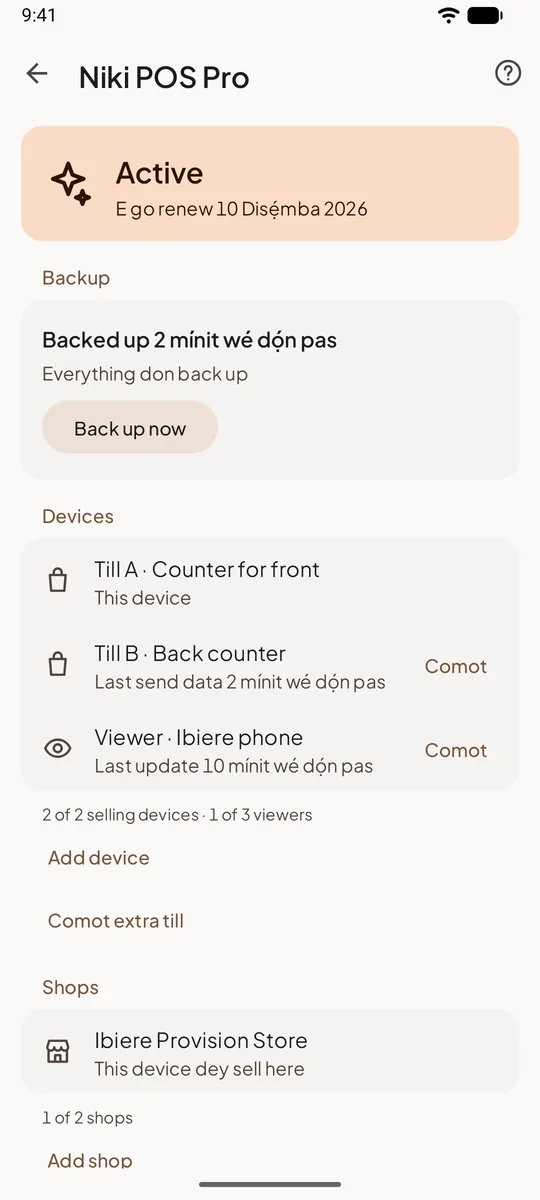
Automatic backup and restore
Every sale, product, customer, credit balance and photo dey save for our server small time after e happen, anytime wey internet dey. Your phone lost, or you buy new one? Sign in and your shop go come back the way you leave am.
- Nothing to remember: no file to copy, no button to press
- No internet? Changes go wait for the phone and upload when network come back
- For new phone, tap "You get backup already? Sign in" and everything go come back
- Export and import still dey free, if you also want your own copy
If Pro end: backup go pause, and we go keep your backup for 12 months. You fit still restore am for new phone.
Watch your shop from anywhere
Your shop for your phone, anywhere you dey
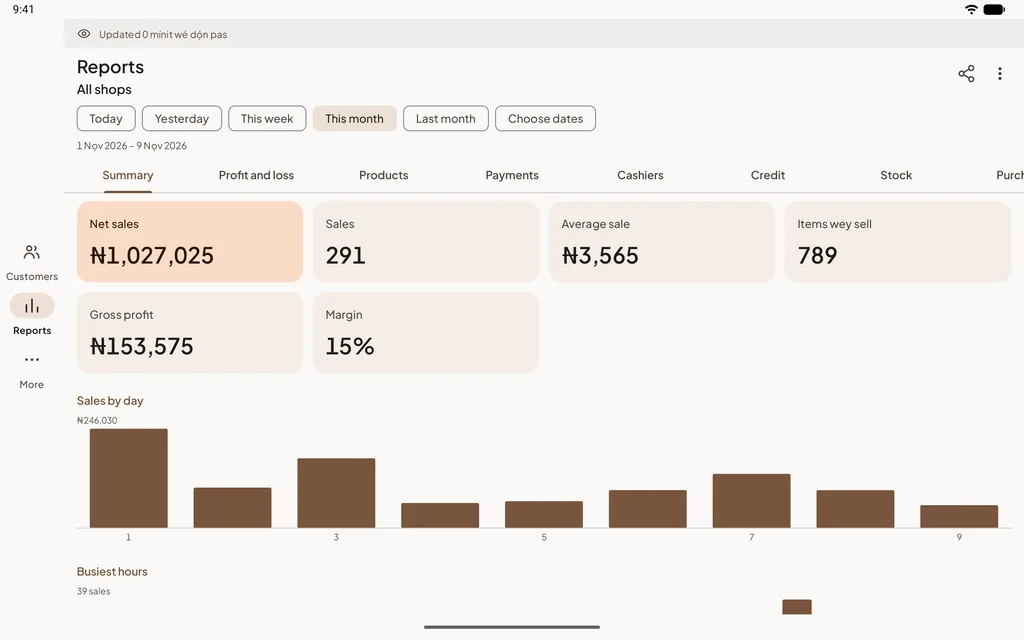
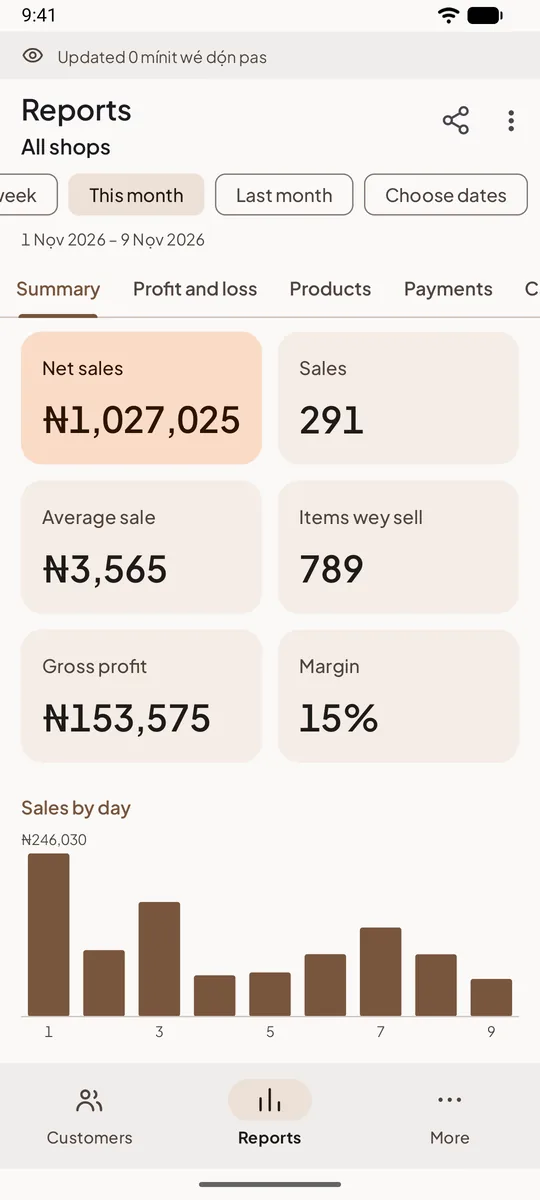
Sign in for your own phone or tablet wey you no dey use, and choose "Watch this shop". You go see wetin dey happen for the till, and you go hear about anything wey need your eye.
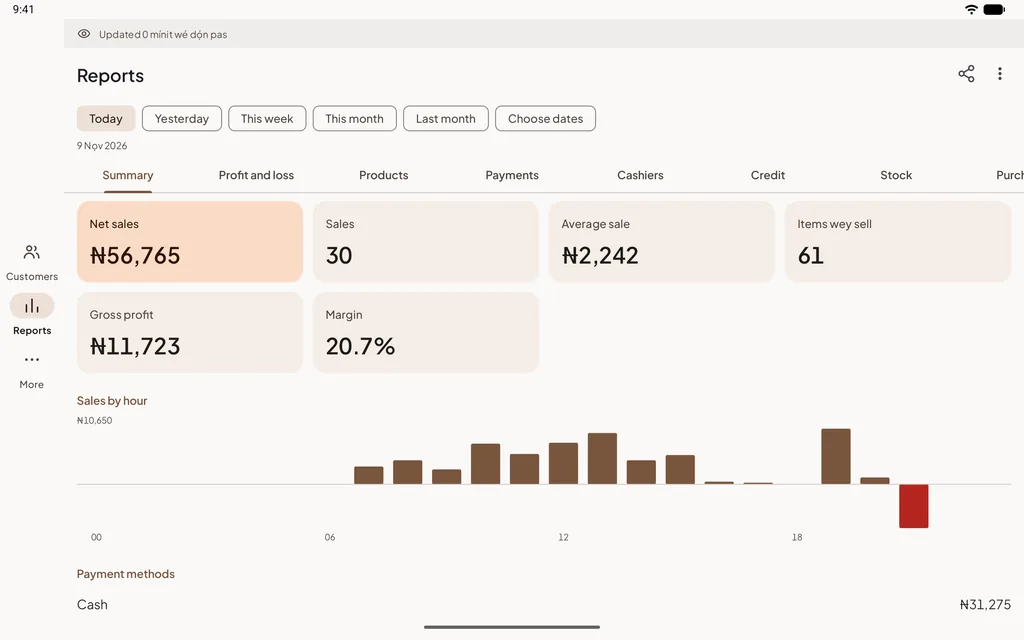
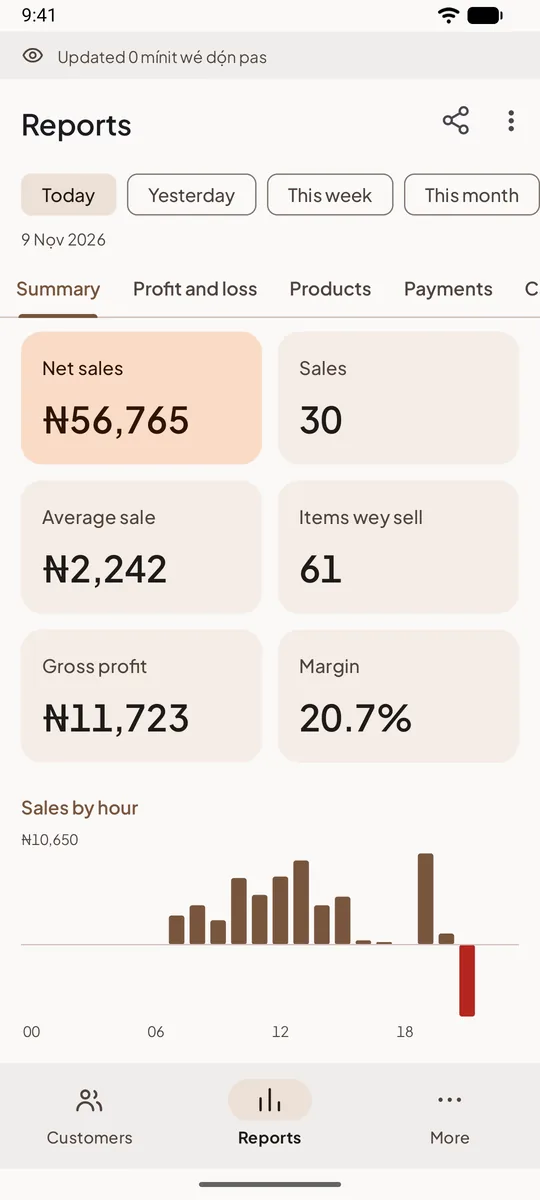
Owner view
Your phone go turn window wey you dey take look your shop. E fit only look, e no fit change or sell anything, so the till go stay with your cashier and nothing go scatter.
- Every report and period, plus profit
- Sales history and receipts, stock with the ones wey don low or finish first, and wetin customers owe
- Shifts: who dey work, the cash wey dey drawer, and the difference for each shift
- E dey update every 15 minutes, or pull down to refresh; e dey open offline with the last data
- Up to 3 viewers for each shop dey inside, for you, your partner or your manager
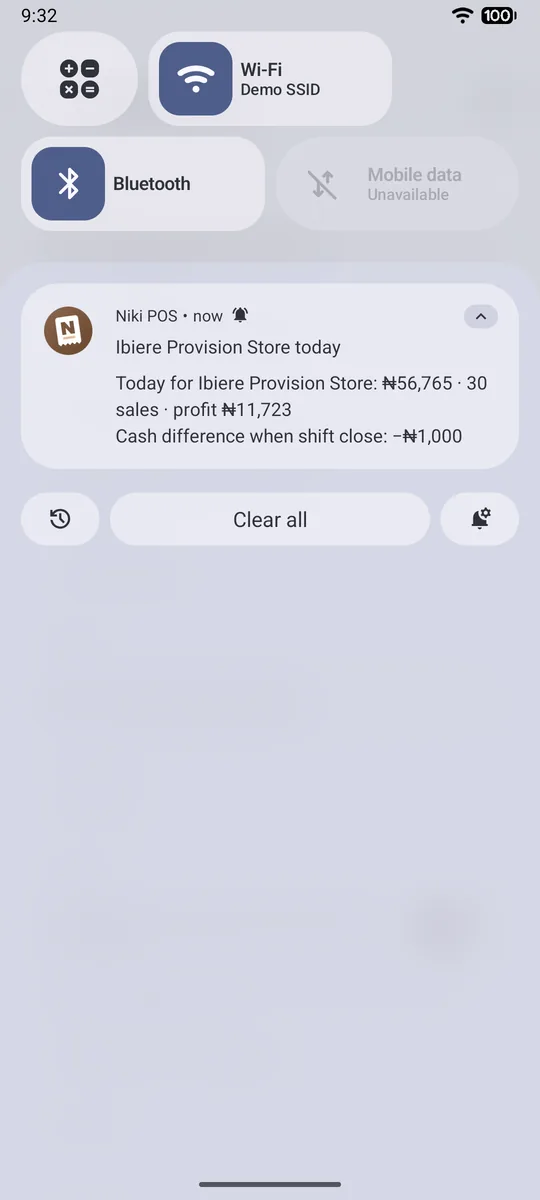
Summary every evening
For the time wey you choose, 21:00 unless you change am, your phone go tell you how the day go: sales, how many sales and profit, and whether the cash for closing short or extra. Tap am to open today reports.
- Choose the time, or off am
- If you get many shops, one summary go cover all of dem
- If the till never send data since afternoon, the summary go tell you
Alerts when something no correct
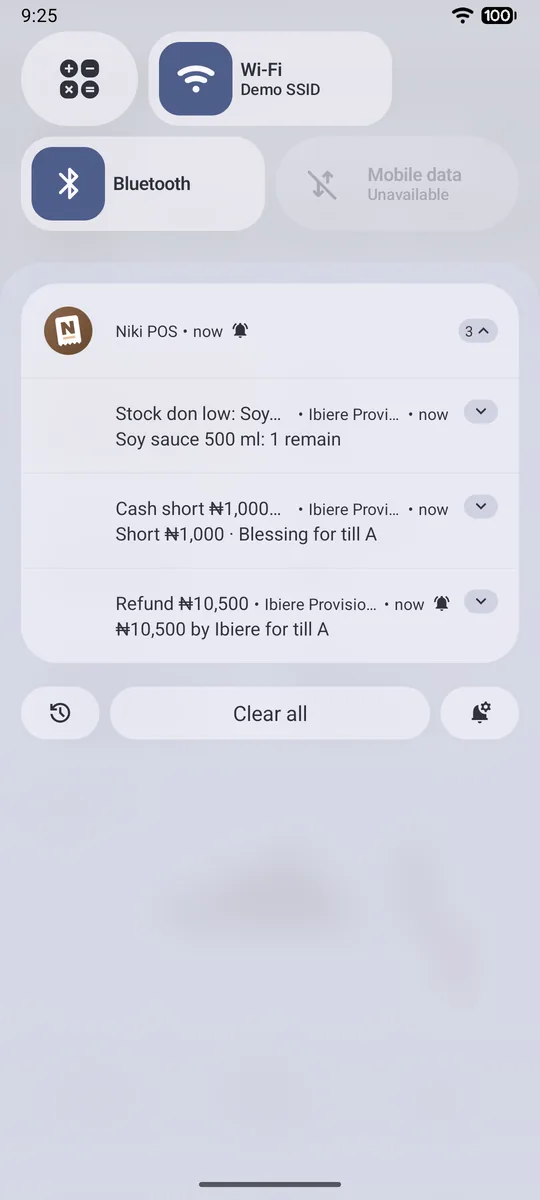
Every time wey your phone update, e go check wetin happen for the till and tell you about the things wey dey worry owners, with the cashier name and the till, like "Refund 45,000 by Sari for till A".
- Refund
- Big discount: 20% of one sale or more
- Shift wey close with cash short or extra
- Products wey don low or finish
- Price wey change during payment, if you on am
On or off each alert and set im limit. Alerts between 22:00 and 07:00 go wait till morning.
The web dashboard
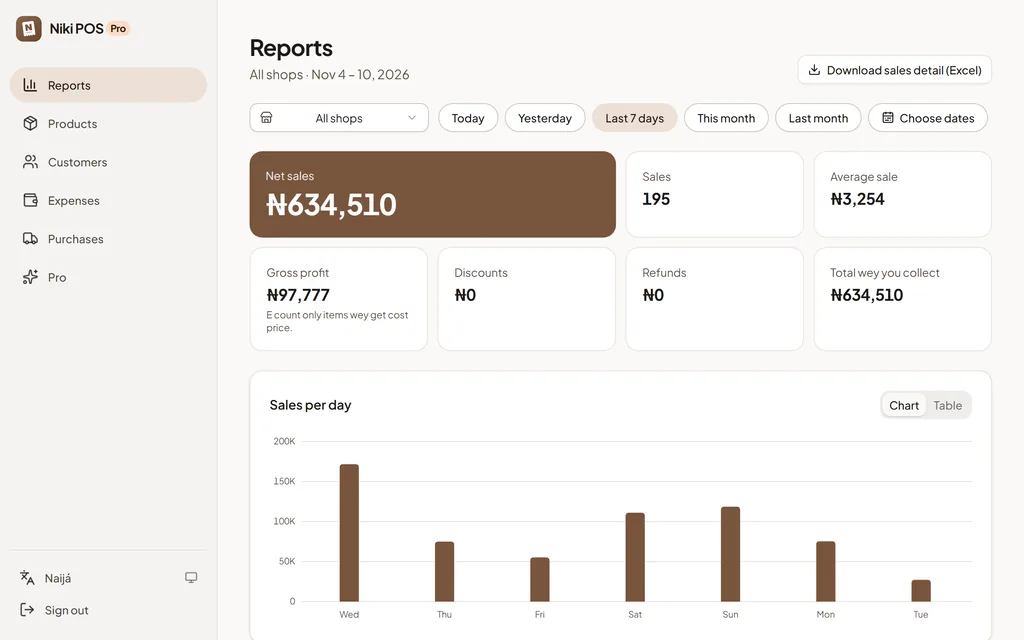
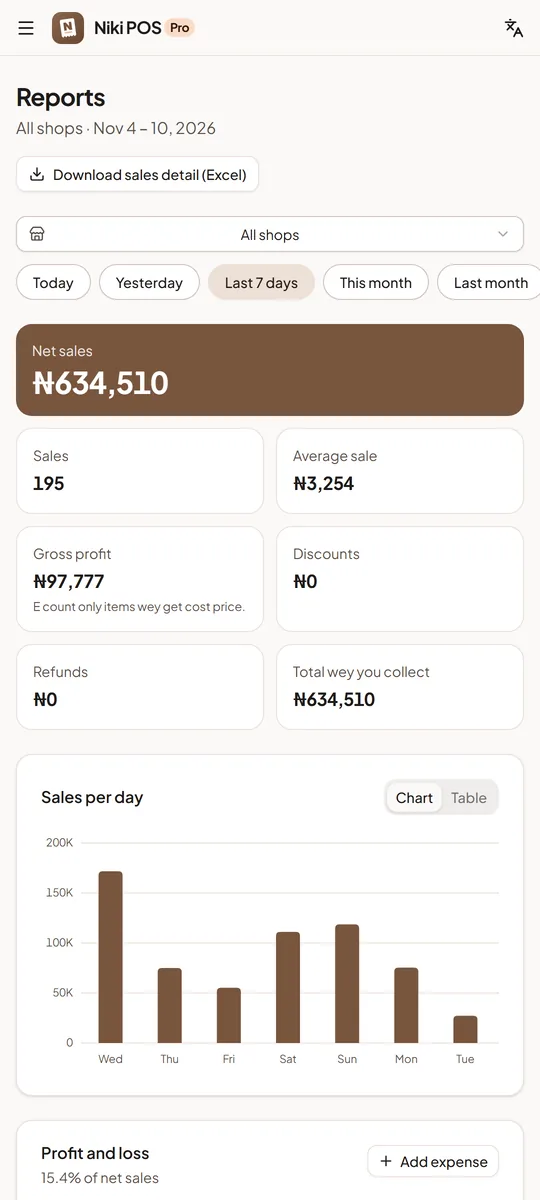
For computer, tablet or the browser of any phone, iPhone too, sign in with your Niki POS account and see your shop for big screen.
- Reports for any dates, one shop or all together, and download am for Excel
- Change many prices and costs at once, or from CSV file
- Customers and wetin each one owe, to Excel or CSV; add customers from CSV file
- Suppliers, purchases and wetin you owe each supplier
- Your changes go reach the tills when dem update next
Grow pass one counter
Tools for bigger shop
When one counter no do again, Pro go add wetin wholesalers, busy shops and branches need.
Wholesale prices
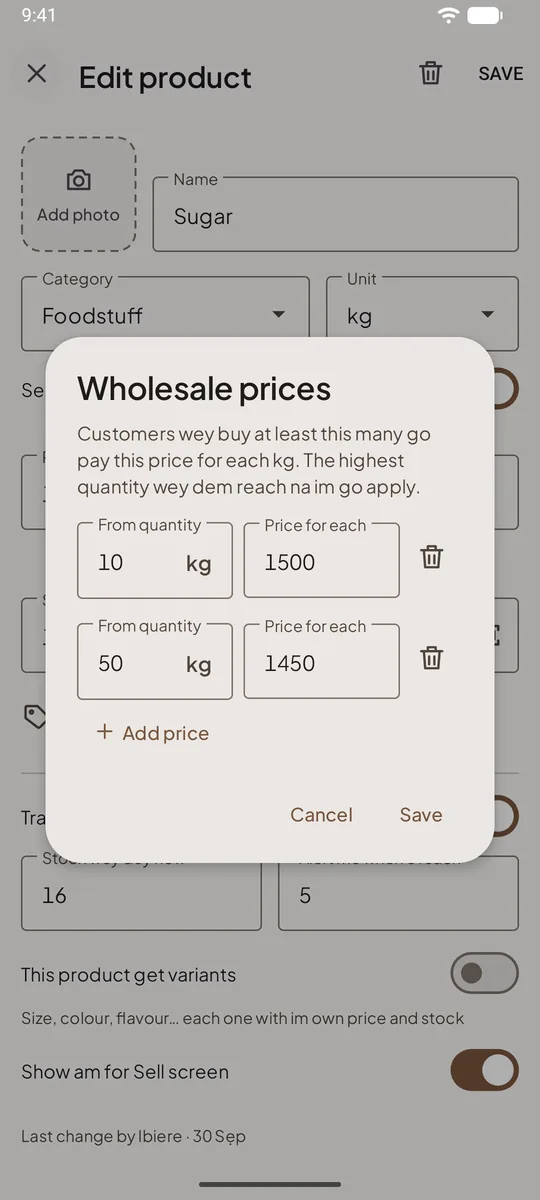
Sell cheaper by dozen or by bag, without doing calculation for counter. Give one product up to 5 prices by quantity: sugar for 18,000 per kilo, 17,000 from 10 kg and 16,500 from 50 kg.
- The cart dey pick the correct price as the quantity dey change, and e go show "Wholesale"
- E dey work with kilo, litre and other units, plus decimals
- Price wey you set by hand still win, and discounts go come after
If Pro end: your wholesale prices go still work during payment. Na only to add or change dem need Pro.
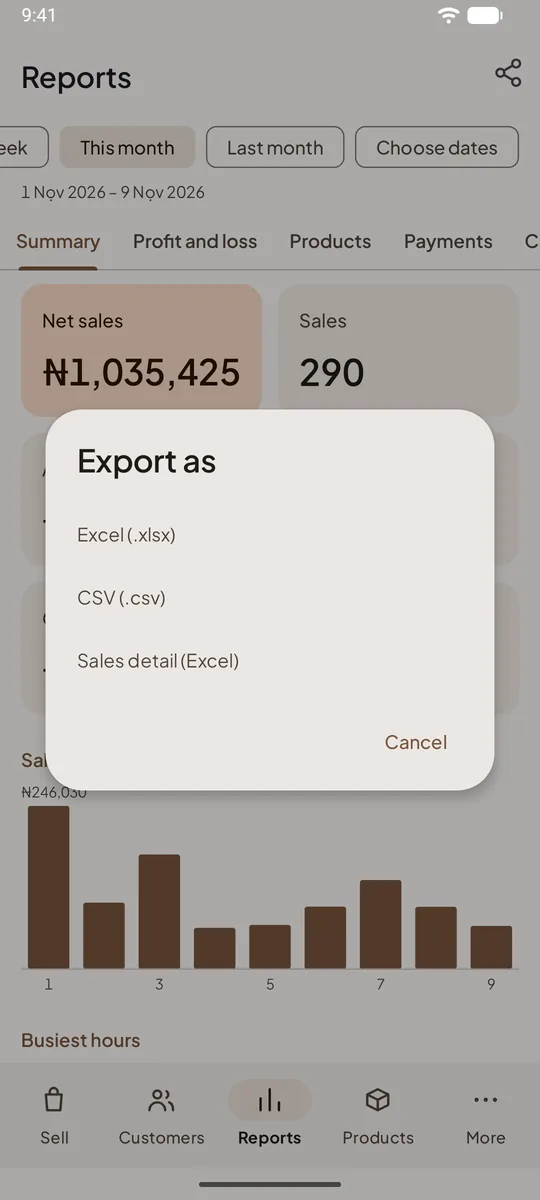
Detailed and automatic exports
For your accountant, tax office or your own spreadsheets: every sale and every item inside one Excel file.
- "Sales detail (Excel)": one row for each sale and each item, with cashier, customer, payments, discounts and tax
- Cost and profit for every item, na only you go see am
- On the 1st of every month, last month Excel file go enter your email
- E dey open for Excel, Google Sheets and WPS Office
The Excel and CSV export for each report still dey free.
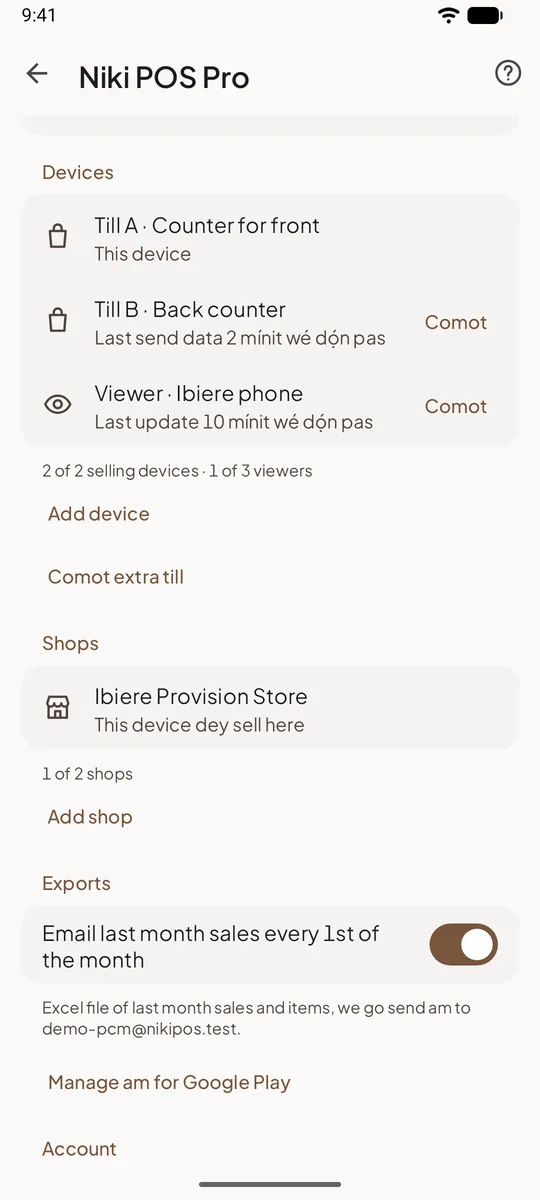
More tills for one shop
Two counters, or tablet for the till and phone for busy hours: each device dey sell on im own, and dem dey share everything else.
- Shared: products, prices, stock, customers and credit, staff and PINs, sales and held orders
- Each till get im own receipt numbers, shift, cash drawer and printer
- No internet? Till go continue to sell and catch up when network come back
- Till spoil or lost? Sign in for new one and choose "Replace till"; the others go continue to sell
Pro include one till. More tills na add-on: see the prices.
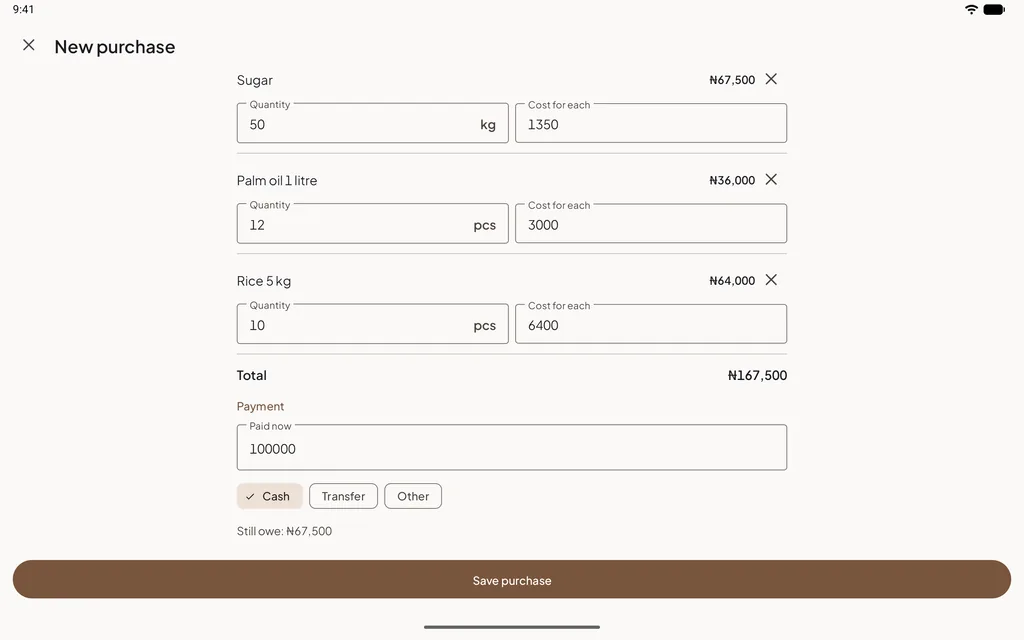
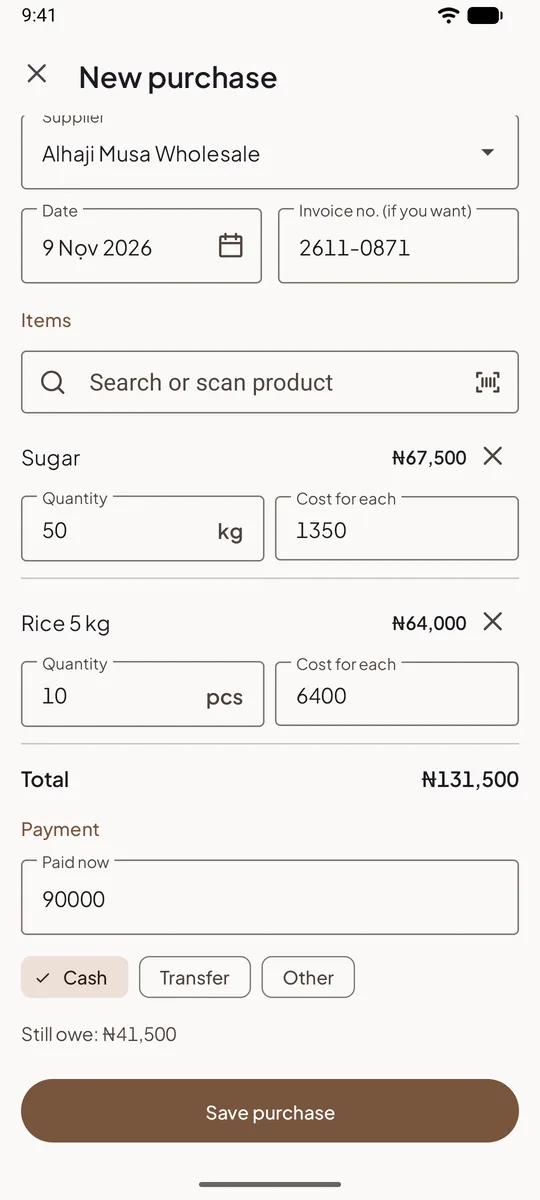
Suppliers and purchases
Write down wetin you buy, from who and for how much, and wetin you still owe dem. Your stock go increase when you save.
- Your suppliers with their phone numbers
- Purchase go add the stock and ask if you want update each item cost, so your profit go remain correct
- Pay supplier full or part; cash from the drawer go enter the shift
- Purchases by period and by supplier, and wetin you owe each one, the oldest first
- Cashier fit type the prices for delivery without seeing wetin you owe
More shops
You dey open second shop? Each shop get im own stock, tills, shifts and receipts, and e dey share your product list, customers and staff.
- One price for each shop, or the same price everywhere
- Move stock from one shop go another
- Choose which staff dey work for which shop
- All shops together for your reports, your daily summary and the web dashboard
Pro include one shop. Each extra shop na add-on, and im first till dey inside: see the prices.
Try am free
14 days free, then one simple price
Start the free trial inside the app. Before you confirm, Google Play go show you the price for your currency and the day wey the trial go end.
How to start the trial
- Open Niki POS and tap More → Niki POS Pro. Na only the owner dey see am.
- Choose Monthly or Yearly. One year cost the same as 10 months.
- Tap "Start 14-day free trial" and sign in with Google or your email. Backup go start sharp sharp.
- Cancel for Google Play before the 14 days finish and you no go pay anything.
The trial na for accounts wey never use Pro before, and everything dey inside except extra tills and shops.
14 days free
Pro
The price for your country
Monthly or yearly, Google Play go show am for your currency before you pay. One year cost the same as 10 months.
- Everything wey dey Free, plus:
- Automatic backup, and your shop go come back for new phone
- Watch your shop from your own phone
- Daily summary and alerts
- Web dashboard with Excel reports
- Wholesale prices, suppliers and purchases
- More tills and shops as add-ons
More tills and shops
Pro include one shop with one till. Add till for another counter, or shop for another branch wey get im own stock and prices. Products, customers and staff dey shared between dem.
No Google Play?
For Sunmi or iMin terminal, shops for Indonesia fit buy Pro for the web dashboard and pay with QRIS, bank transfer, e-wallet or card. For other places, we dey sell Pro through Google Play for now: start am for phone wey don sign in with the same account, or write to us for support@nikipos.com.
Free forever
Wetin go remain free, with Pro or without Pro
Pro dey only add. Nothing for the free app dey move go Pro, and no limit for products, sales history, staff or reports.
- Fast selling with barcodes
- Printed and WhatsApp receipts
- Customers and credit
- Stock with low-stock alerts
- Staff PINs and shifts
- Sales and profit reports
- Expenses and profit and loss
- E dey work without internet
Selling no dey wait for Pro
No internet, sign-in wey don expire or plan wey don end no go ever stop sale, refund or credit payment.
Your data na your own
To export all your data, and to restore your backup, no dey ever need Pro.
No offers for your cashiers
Pro no dey ever show for the Sell screen, the payment screen or receipts. Na only the owner dey see am.
Questions about Pro
Wetin go happen when Pro end?
Your shop go continue to sell for every device, and everything for your phones go continue to work: sales, stock, credit, shifts and reports. Backup go pause, and new changes go wait for the phone until Pro come back. The owner phone go keep the last data wey e get. Wholesale prices go still work during payment, and the purchases wey you record go stay. Extra tills go continue to sell, but dem go stop to share products, stock and customers.
How long una go keep my backup after Pro end?
12 months. We go email you 30 days and 7 days before we delete am. Until then you fit restore am for new phone, even without Pro, or start Pro again and continue from where you stop. If you delete your account, the backup go delete sharp sharp.
How I go take cancel for Google Play?
For the app, open More → Niki POS Pro and tap "Manage am for Google Play", or for Play Store open Payments and subscriptions. Cancel anytime: Pro go dey on until the end of the period wey you pay for. If you uninstall the app, e no go cancel am. How to cancel Pro.
I pay for the web store. How I go take stop am?
Pro wey you buy for web, you don pay am before, and e no dey renew by itself, so nothing dey to cancel: e go end for the date wey your payment reach, unless you pay again. You fit ask for full refund inside 14 days after you pay: write to us for support@nikipos.com.
I fit change between monthly and yearly?
Yes, for Google Play. Play go calculate the difference for the days wey remain.
I need Pro for every phone?
No. Pro belong to your account, no be to one phone. Sign in with the same account for each device: your till, your own phone to watch the shop, second till. Cashiers and managers no dey ever pay for their own plan.
Pro need internet all the time?
No. Tills dey sell offline like before and dey send their changes when network come back. Without connection, Pro features go still work for 7 days after the date wey your payment reach, so few days offline no go lock anything.
Who fit see my shop data?
Only you, the other owners of the business and the managers wey you invite. Managers go see costs and profit only if you allow am. Privacy policy.
Try Pro free for 14 days
Open Niki POS, tap More → Niki POS Pro and start the trial. Cancel before e end and you no go pay anything.
You never get the app? Install am free first. Pro go wait until you need am.